
Everything has been going well so far and I can’t believe school is starting next Monday (for me at least). So even though everything will probably work out for the best, I can’t help but worry about everything and anything. I am a neurotic after all.
Every school year, we think about the same things: ‘Did I choose the right class?’ ‘Were the reviews on ratemyprofessors.com accurate or will I be screwed over?’ ‘Will financial aid come through?’ ‘How will I get my textbooks then?’
At this point, I should be considered an experienced college student. I’ve totally bombed my freshman year, worked my ass off to get my GPA up, and have successfully graduated and transferred to a larger school. But even if I am a pro at this, I go through the same things, too.
Here are the four things I worry about when school starts:
1. Financial Aid

Every college student knows exactly what I am talking about when I say we worry about financial aid. Many students I know have been fortunate enough to receive grants and scholarships whether it’s by merit or need-based. You have to apply to FAFSA (click here for the link) every school year so you can receive a financial aid award package from your school. You may have to submit more documentation and take out some loans. The process is grueling and the sad thing is that you have to go through this every year even if you are a current student. You learn to stay on top of your financial aid office staff members and treat them nicely because they are your best friends in this situation, What also worries me when it comes to money is that even if you get your financial aid award letter from your school and you sign it, there is no guarantee that what they offer you won’t change. Eeek!
2. Textbooks
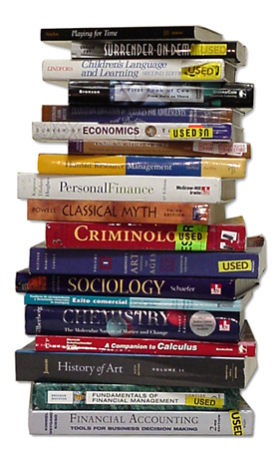
Textbooks are a necessary evil. You need them whether you rent or buy them in digital or print format. Somewhere along the way, publishers and schools figured that out that you need them and are willing to get them at any cost. And that’s where the massive loads of being ripped-off begins. During my freshman year, I did what most naive freshman did. I went to the school bookstore with my friends, picked out NEW textbooks, and I bought the school’s edition of a textbook. Now that I am a junior, I can tell you I wish I had truly known everything I know now because I would’ve saved loads of money! First off, I am an AVID book collector and textbooks are extremely useful books to have in your library. I do tend to buy new books because I know I will cherish them and keep them in pristine collection. Through time, I’ve learned that you’ve got to be smart. You don’t have to buy used books, but if you’re going to, never take the one that the school bookstore employee hands to you. Put your foot down, sit your ass down on the floor if you have to, and choose your own book out of the stack. They will all say used but each book’s condition will vary. I’ll never forget the time I bought a used textbook from the bookstore and didn’t check it. So when the first week of school started and I cracked open my U.S. government textbook I had paid $80 for and found that the binding and spine had worn out. Hundreds of pages fell out and I was horrified.
How to Buy a Used Textbook:
I actually went to get a textbook today and when I went to the school bookstore, I had my game plan already. I mustered a polite, “Hello,” to the fellow students who worked there and I went straight for the shelf where my textbook would be. It is always good to know what the official course name and number is as well as your professor’s name. I knew all of this already so I found my textbook within seconds. I looked at the price between the new and the used section and the used pricing was surprisingly a good deal. I plopped down on the floor and started going through the stack of used copies. I flipped through the book (front to back and back to front). I held the book by the spine and shook it around. And, of course, I checked for highlighting because I absolutely hate highlighted textbooks.
How Do I Buy Textbooks Now?
The first thing I do is create a print out of every textbook I need after the professor has posted the list of required materials. I usually type it out in a word processor and this sheet has all of the information I need on there (title, author(s), publisher, edition number, year published, etc.). I use the ISBN to check the pricing at the school store and use those prices as a guideline because the school bookstore will always sell you a new textbook at retail pricing. A lot of people like chegg.com or campusbookrentals.com but what has always worked for me when it comes to saving money and getting your money’s worth are either digital rentals from the publisher or Kindle versions of the book. Amazon is very competitive when it comes to pricing and because it’s digital, you can read your book on your computer, phone, tablet, Kindle, etc. and you never have to worry about your book falling apart. I have to get ten textbooks this semester and if I hadn’t played it smart, I would’ve easily spent over $1,000. Three of the books are only available in print and since they were small ticket items, I bought them new from Amazon. The other seven are going to be a mixture of Kindle purchase and Kindle rentals. I am happy to say that I will only spend $300. This leaves me with $700 to put away for transportation, food, or other expenses. So if you’re worrying about the price of textbooks, just be sure to check all available options before buying from the bookstore. If you’re a new student and have any questions, feel free to shoot me a message.
3. School Supplies
Are you starting to see a trend with everything I’m worried about? It’s all about money, right? Every semester, I have to go shopping for school supplies. It’s one of my favorite times of the year and I have enjoyed it since I was 5. I usually buy the basic office essentials because all of my school work and studying is done from my office at home. I get paper clips, glue sticks, pens, mechanical pencils and tape. The items I get specifically for each course are: binders, filler paper, and composition notebooks. I get one of
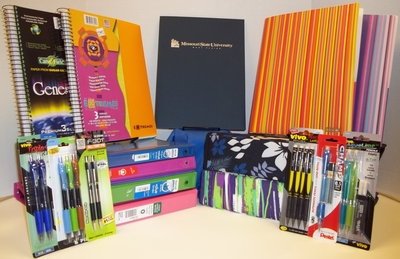
each for each course. Some may argue that it is better to have a large binder with dividers to section off each class’s coursework but I find it to be much simpler carrying a binder that is dedicated to a course and not lugging everything with me all at once. Every semester I typically spend $100 on school supplies and I have a preference for Staples. Why am I worried about school supplies? Well, that’s because I haven’t purchased any supplies yet. :)
4. Classes and Connections
The last thing I fret about when it comes to school is whether all of the ratemyprofessors.com reviews I read about each professor paid off. Not knowing about this website when I was a freshman made school particularly hard for me that year. I just chose whichever course was open and hoped for the best. From elementary school through high school, you just got what you were dealt. You didn’t get to choose your fate. I just assumed it was the same for college. Once I learned about college professor rating websites, I used them to my advantage and college got much easier. For example, my weakness is in mathematics so when it was time to register for my college algebra class, I looked for a teacher who was easily accessible, made YouTube videos as references, and was extremely approachable. I ended up with a professor who was also a soccer mom. I found her narrated, how-to videos extremely helpful and I made it out with an A. If you do your research, it will most likely help you in the long run. It doesn’t always work out and sometimes there is only one professor who teaches that course so you just have to roll with it. Since my university is so small, I only have so many options this year.
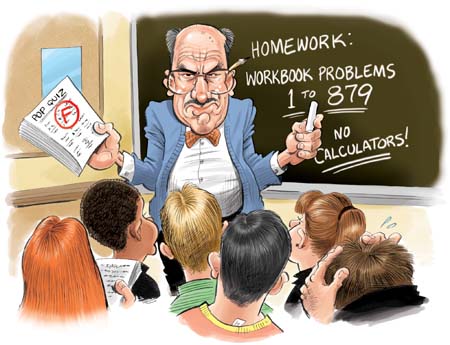
The second part about this section is about making connections. I definitely want to make new friends and have study buddies. I am a transfer student so there are probably cliques and established relations. However, I believe that if I make myself approachable and open to making friendships, then it will happen. The first school I ever went to was a larger university and it was hard to make connections. I did meet a few people who stuck around throughout the years. Since it is a new school, the process starts all over again.
I worry about the same things every year and everything works out in the end. I am glad to be going back to school again. I didn’t intend for this article to be helpful because I just wanted to write my thoughts down. I’ve learned many things about college throughout these years and I hope my advice and ideas can help some of you become better students.







 Napalm Kitty