I won an iPad Mini! (Pad & Quill Review)

I almost never win anything in my life. I was just about sure that I had a dark cloud looming over me just about everywhere I went. However, last Saturday was a bit different from the other days because I actually won something.

I won an iPad mini!

I work at the mall and there was a kiosk that was set up right in front of my work area last Friday. Even though it was in the “prime” area, people avoided it because they didn’t want to be sold on a service and because they didn’t exactly know what the kiosk was really all about. Being the inquisitive person that I am, I went over there with Peter to check it out. I got to play around with a lot of things and the representative told us that they were giving away an iPad Mini the next day. I didn’t think we would get it since I never win anything and the fact that we bought one in March magically kills my luck. I must’ve forgotten that Peter tends to win everything all the time from XBOX gold memberships to video games to Hulu. I should’ve known.

Photo courtesy of apu.edu

I was working the next day when my co-worker, Challen, came up to the booth to start his shift exclaiming, “Did Peter really just win an iPad mini?!?” I instantly did my happy dance, boldly and proudly, for everyone to see. I haven’t been so happy in a long time. Peter came over to my booth and brought it to me. We had spoken the previous night that if we ever won it, I would get the new one since he already had one. Recently, I had used his iPad mini but it wasn’t set up for me so there was little I could do with apps and settings that could never be beneficial to me. I had just hoped that the agreement of me getting the iPad would stick.

Mine. It’s All Mine!

So Peter handed me the iPad mini and I told him that we would get to open it together when we both got out of work a couple of hours later (because I am patient like that). I’m all about delayed gratification! I put the new iPad into my bag which housed the other iPad mini and I secretly felt smug about having two at the same time. (silly me!) When we got out that afternoon, we climbed into the car and I took off the plastic shrink wrap and unboxed it while Peter snapped photos of the event. I put the iPad back into the box and decided I would take it home before I did anything with it. Here is where you all reading this find out how weird of a person I am. I got home at 4 PM and I literally left my iPad mini, still covered in plastic, still in its box, and still in my bag, on the floor propped against my desk for a couple of hours. I didn’t take it out to set it up until 8 PM. I’m sure Peter wanted to ask me why I hadn’t taken it out yet and perhaps he didn’t think I was excited enough. I was completely and very excited, so much that I had to get my usual tasks such as emails, homework, and etc., over with before I could finally have the peace and quiet to open it and enjoy it. I told you that I am weird.

I installed all the finances programs first and my social networking apps, games, and etc. I put everything into folders so my iPad literally only has one screen. I am minimalist (not when it comes to words though!) and I keep it pretty tidy. All the apps are in their respectively labeled folders (Games, Social, Entertainment, Tools, and etc.). I set up everything and was quite content with the results, especially after Peter installed iOS 7 on both of ours. I was finally glad that we didn’t have to share anymore and that I finally had a tablet. Peter has about 4-5.

Finding the Case

The past few days have been quite hectic because I am paranoid about things getting dinged and scratched, so much that I did not take the plastic that the iPad mini was encased in off. I know the feeling of damaging new items so I take precautions. I knew that I needed Ghost Armor for the screen (I’m going to get matte tomorrow) and I knew that I needed a case. Peter has a smart cover from Apple but I find it too flimsy, lacking in structure and the fact that it did not protect the back of the iPad even though the material is quite durable already. I went onto to Amazon, found a few potential candidates but none exhumed quality. I went on designer label sites and found the designs lacked originality. I then began to Google quality iPad mini cases and I finally came up with a few things. I proceeded to Youtube reviews of the cases and made note of every comment. After a whole day of research, I decided to order my case from:

Photo courtesy of padandquill.com

Pad & Quill

The P&Q cases called out to me for several reasons.

  1. They offer a variety of designs although they are uniformly made out of Baltic birch. There is a design for everyone whether you are a professional, an artist, a student, or a full grain leather lover. All of their cases (everything from iPads, iPad minis, MacBook Airs, iPhone 5s, to Kindle e-readers) are designed to look like a handmade book. I have a journal that looks like a handmade book and it is one of the best things I’ve ever paid money for (I only wish I had gotten more at the time). I am aware that there are other brands that make the tome-styled cases, but the Pad & Quills are very well-made and of high quality (and they’re not that expensive either!).
  2. They are family-owned and handmade. Don’t be surprised when you call them and find out that the person taking the phone calls is also the one making the cases. You don’t get that much these days. Everything is mass manufactured so many corners are cut in order to produce a lot for so little. The process P&Q uses to make their cases is very traditional and mimics a lot of the methods used in bookbindery. The great thing about these small mom-and-pop owned companies is that they are more likely to listen to the feedback of their customers AND be able to do something about it. I feel more comfortable buying from a company who is more likely to be able to deliver if I push hard enough.
  3. Their cases are not uniform. They are unique. Not only is it handmade, I take pride knowing that there are little nuances in my case that make it different from another case. It is sturdy yet light and structured yet tight. The wooden part of the case is deeper and there are individual slots for everything as opposed to an open concept. The Pad & Quill holds your electronics so well that a built-in ribbon is needed to take your item out. I tried to pry, shake, and take the iPad mini out without the ribbon and despite all my attempts, the iPad mini stayed in and hadn’t budged a bit.
WP_20130828_22_11_10_Pro__highres
For more photos, check out the gallery at the end of the article.

Sure, I could’ve gotten a DODOcase or an Otterbox but I must say that for my own needs, I went with Pad & Quill because of those three reasons listed above. I ordered on Monday and my case got here yesterday. I had ordered two of the Graduate edition cases at $59.99 per case, one in Slate/Deep Sea Blue (for me) and one in Cayenne/Slate (for Peter). I like the feel of bindery cloth so I opted for the Graduate over its leather siblings, the Aria and the Octavo.  The shipping was free for my order and I used my promo code to get $10 off the whole purchase. I spent just over $100 for them and I’m very content.

For anyone interested in Pad & Quill cases, please check out the link below:

http://www.padandquill.com/

I hope you enjoyed the post and please feel free to leave me a comment or shoot me an email if you have any questions about the cases (I do not work for these guys. I just get excited about things I buy.).

I’ll leave this post with photos of my new iPad mini (16GB wifi … haha, I wish it was wifi + cellular!) and the Pad & Quill Graduate Edition case:

Unboxing the Google Nexus 7 Tablet

I’d write a thorough review on the technical aspects of the Nexus 7 but I’ve really been too tired so I’ve opted to do a first looks/first impressions instead.

I’ve been waiting patiently for the past two days since ordering the Nexus 7 late that night. It came by earlier in the afternoon yesterday and I was honestly doing my best to not unbox it, but after a few hours of crazy discipline, I cracked it open. Can I say that of all the smartphones, computers, and tablets I have had the pleasure of unboxing, this has got to have the most snug packaging ever … Peter and I like to keep our packaging in mint condition so ripping off the wraparound cover was not an option.

We opted for 16 GB of internal storage as opposed to the 8 GB version because when it comes to a set amount of storage, you never know what you may end up needing. The 8 GB tablet costs $200 while the 16 GB (flash storage by the way) is reasonably offered for only $50 more. Not bad.

After loosening the outer cover with a ruler, the cover gave me some room to push the box out of one end. And I thought my old HTC Thunderbolt was hard to unbox.

After the main box is dealt with, the Nexus 7 is easily lifted out by pulling the tab. Removing the plastic film, we find this:

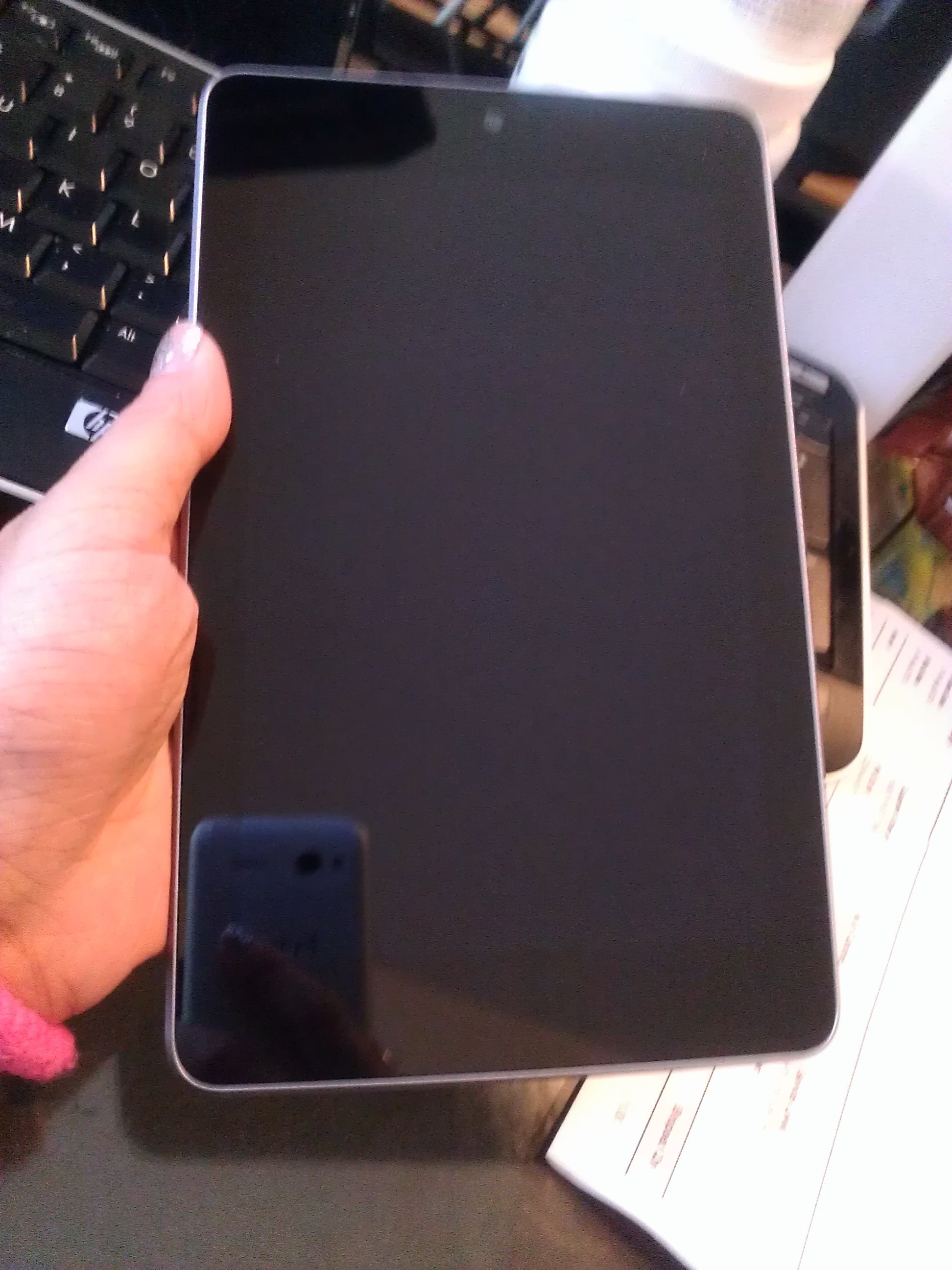
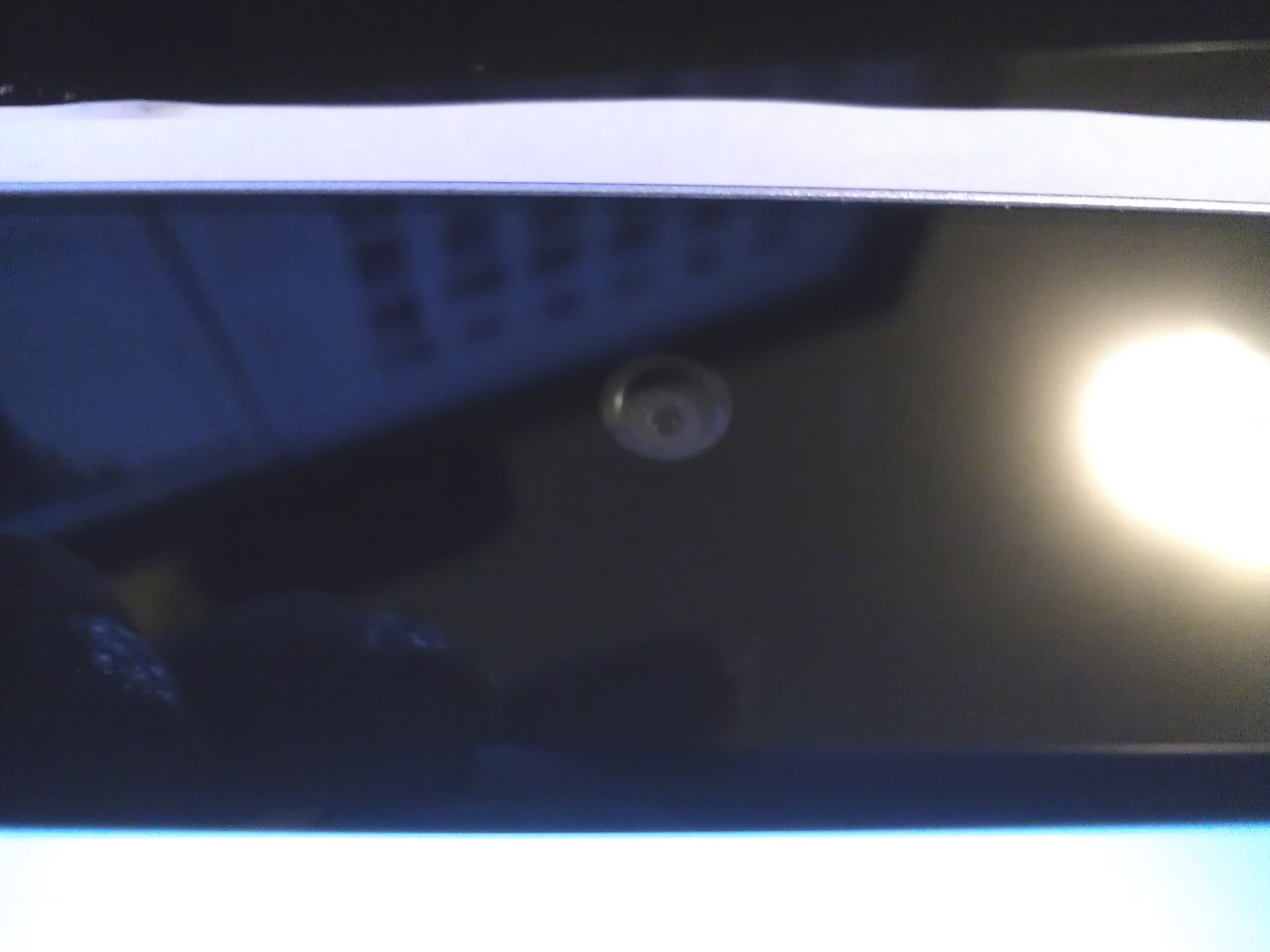
It has a 1.2 MP front-facing camera and no physical home button.

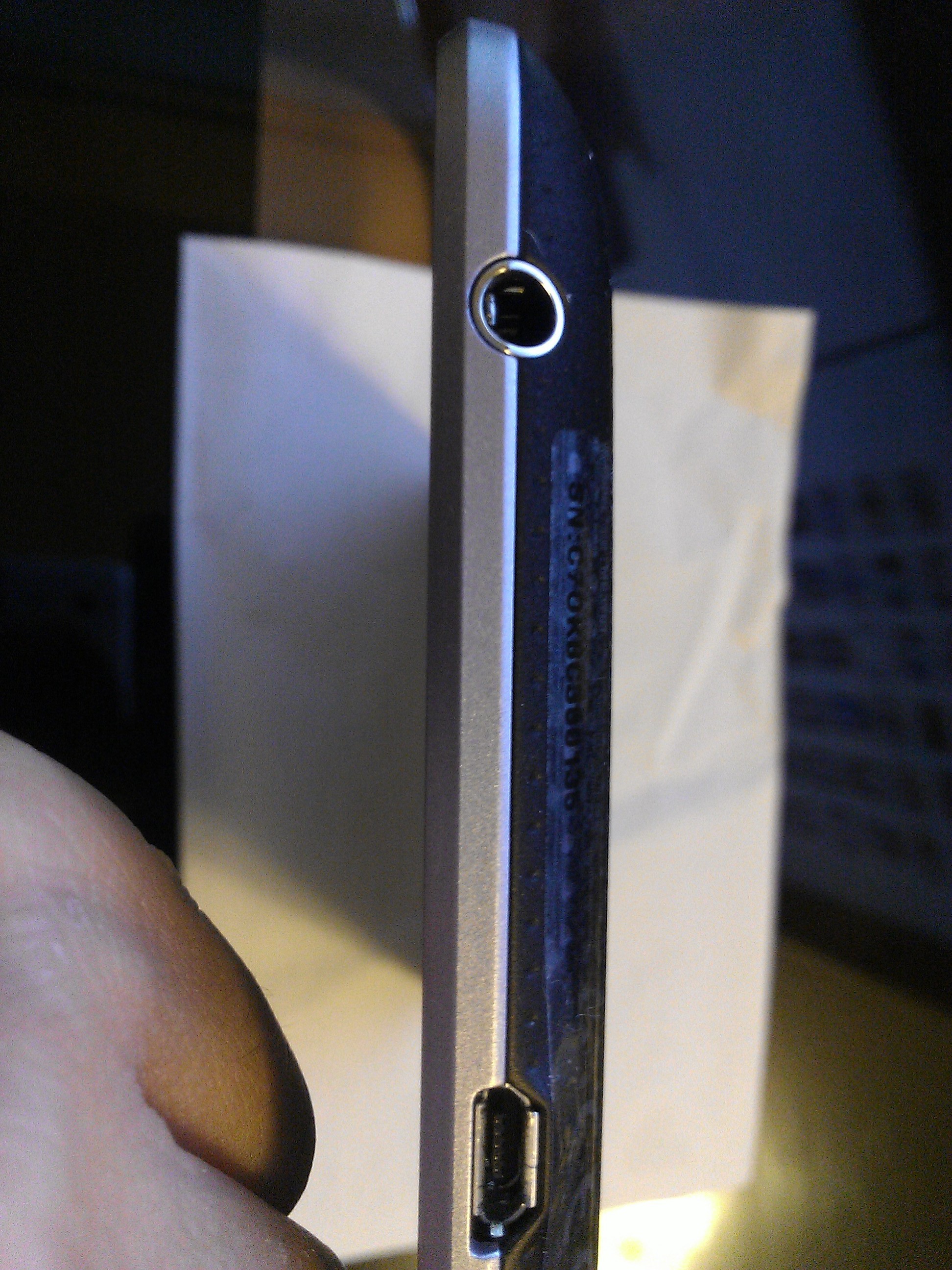
The power/lock key sits above the volume rocker on the right side of the tablet. The topside is clean and the left side has two microphones, one on top and the other on the bottom, while the bottom side of the tablet has a micro USB port, a standard 3.5 mm audio jack, and the speakers.

The Nexus 7 has a 7″ HD display which has taken a few minutes to get used to. Remember, I’ve been using the iPad for over two years now and although I would prefer a larger display to play Magic Piano with, but reading a book is perfect with the Nexus 7. Although the mere size of the tablet seemed to dampen my interest, the Nexus 7 tablet’s clean and uncluttered interface quickly made up for the mildly impractical design. This is probably the cleanest I’ve ever seen anything Android-related be all because of Jellybean (Android 4.1), the fastest and most fluid version of Android yet. Did I mention this is the first device to have it?

The volume keys and the power key are placed more towards the back of the tablet of the curved side, seemingly hidden from view. While placing the buttons on the curved edge further away from the screen, it prevents issues such as accidental screen locks or the lack of volume control. However, I found it difficult to locate the keys quite frequently as I found myself groping around for the keys. This problem is lessened if you are holding the Nexus 7 in your hand or if it is on a dock but poses a steady annoyance when placed on a flat surface because you would literally have to lift and tilt the tablet to the side in order to find the keys.

The brushed aluminum sides, I suspect, are plastic but that only means no dents just scratches unless you Ghost Armor it (honestly that’s a must for all devices these days). The tablet has a plastic backing that is slightly rubberized providing a decent amount of non-slip support. The rubbery back feels smooth and dimpled and feels very much like suede or leather if you’re paying attention.

I am very much a fan of the choice of material they chose for the back piece. The  unibody piece of an iPad may rank high in aesthetics but the material is notorious for denting easily.

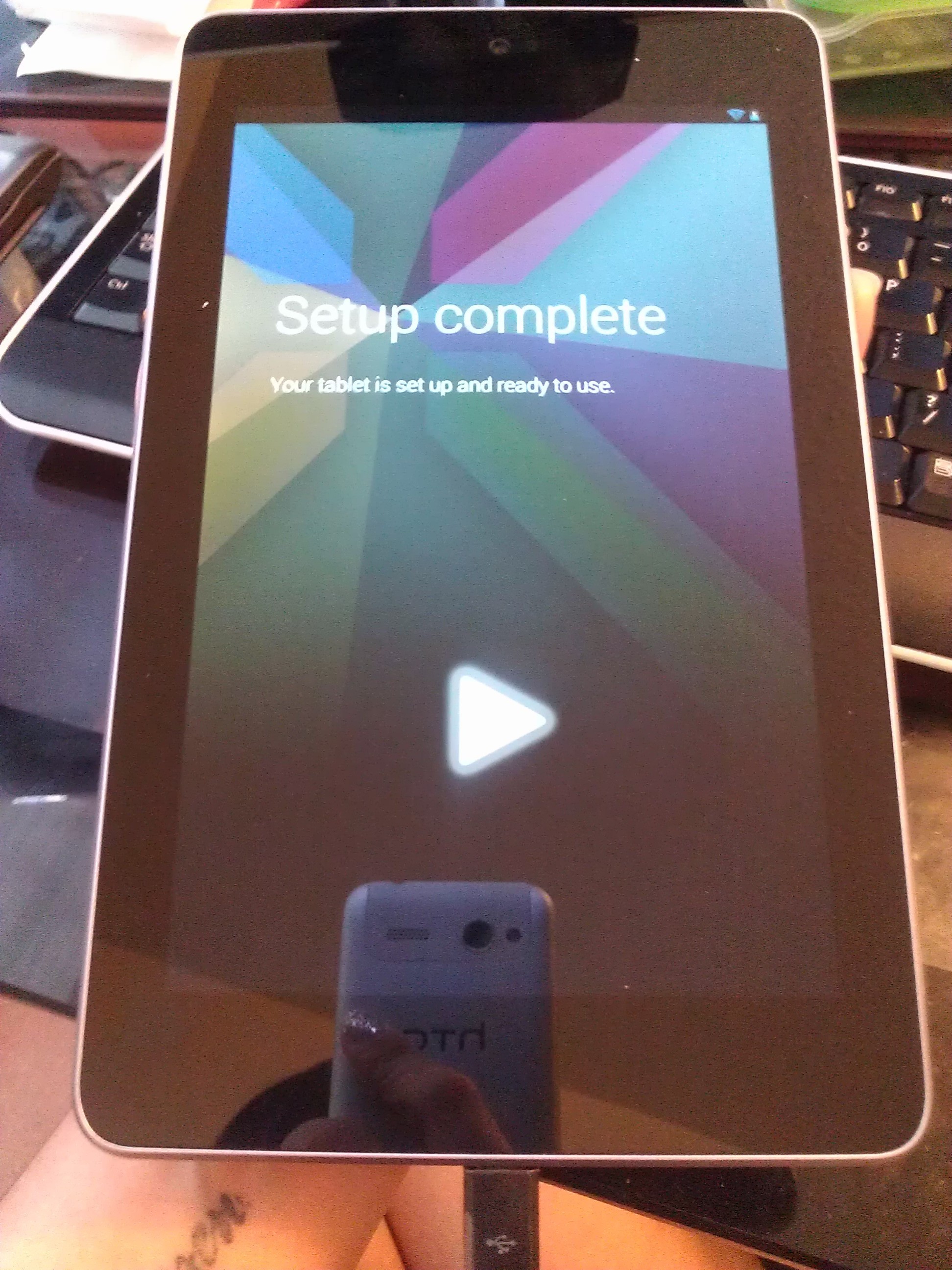
The set up for the Nexus 7 felt simple and intuitive. Setting up the tablet was probably as easy as setting up an Android phone. 

The Nexus 7 comes without the annoying and excessive apps that most users want nothing more to do than remove. When it comes to Android devices, you can’t help but expect the excessive crap apps that can never seem to be removed. A consumer bypasses all of that with a Nexus product. Consider yourself a premium consumer to Google whether you have a Nexus phone or tablet. You won’t find Skype here unless you want it, of course.

The tablet is pre-installed with the typical Google-esque apps such as Maps, Navigation, Google Earth, Chrome, the Play store, Books, Magazine, etc. The Nexus 7 comes with Wallet installed and the great thing about that is you can finally go out without your credit cards, gift cards, and key fobs because Wallet keeps all your information organized and presentable when you need it. And, you can pay with your Nexus 7 at a compatible tap to pay device to pay for your purchase. Stores such as Rite Aid, CVS, Petco, and BP are a few of the many places that support Google Wallet.

I am a fan of the Kindle software from Amazon so although you won’t get the typical perks of having a Kindle, you can always download the Kindle app. I’ve had a lot of fun reading on the Nexus 7 and the Books and Magazines apps provide a lot of customization options. There is an option to keep your Nexus 7 turned when you are reading so I look forward to a dock accessory so I can read in bed while the tablet is on my nightstand. If you’re a fan of real books and are trying to immerse yourself into the digital world of reading, the Nexus 7 equips a realistic feel of a book and it’s especially fun to experiment with the responsiveness of the reading apps. Bookmark your pages, highlight words, and shuffle through pages as slow or fast as you desire.

The widget screen. Just slide to the side to the side to close your background apps.

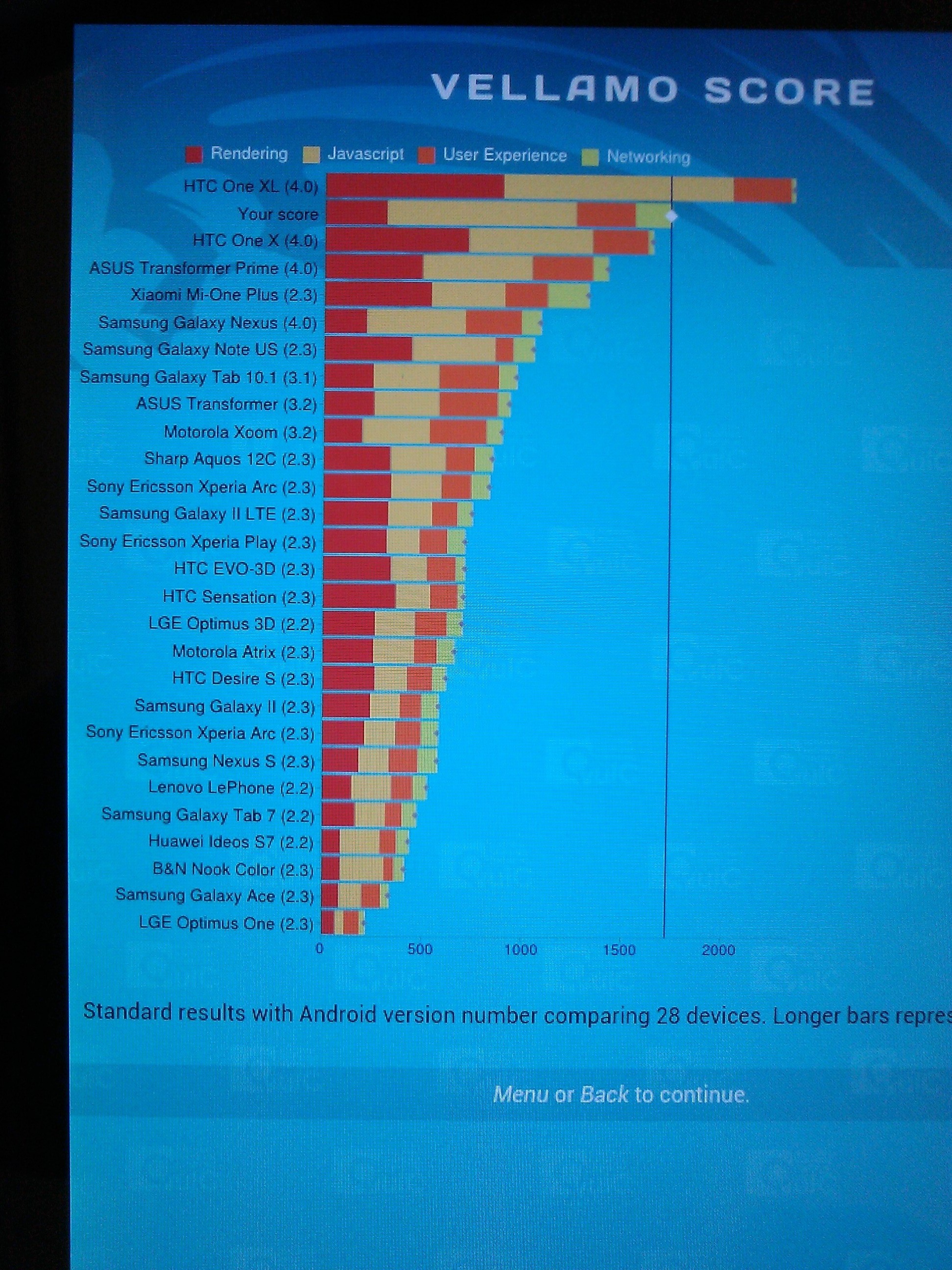
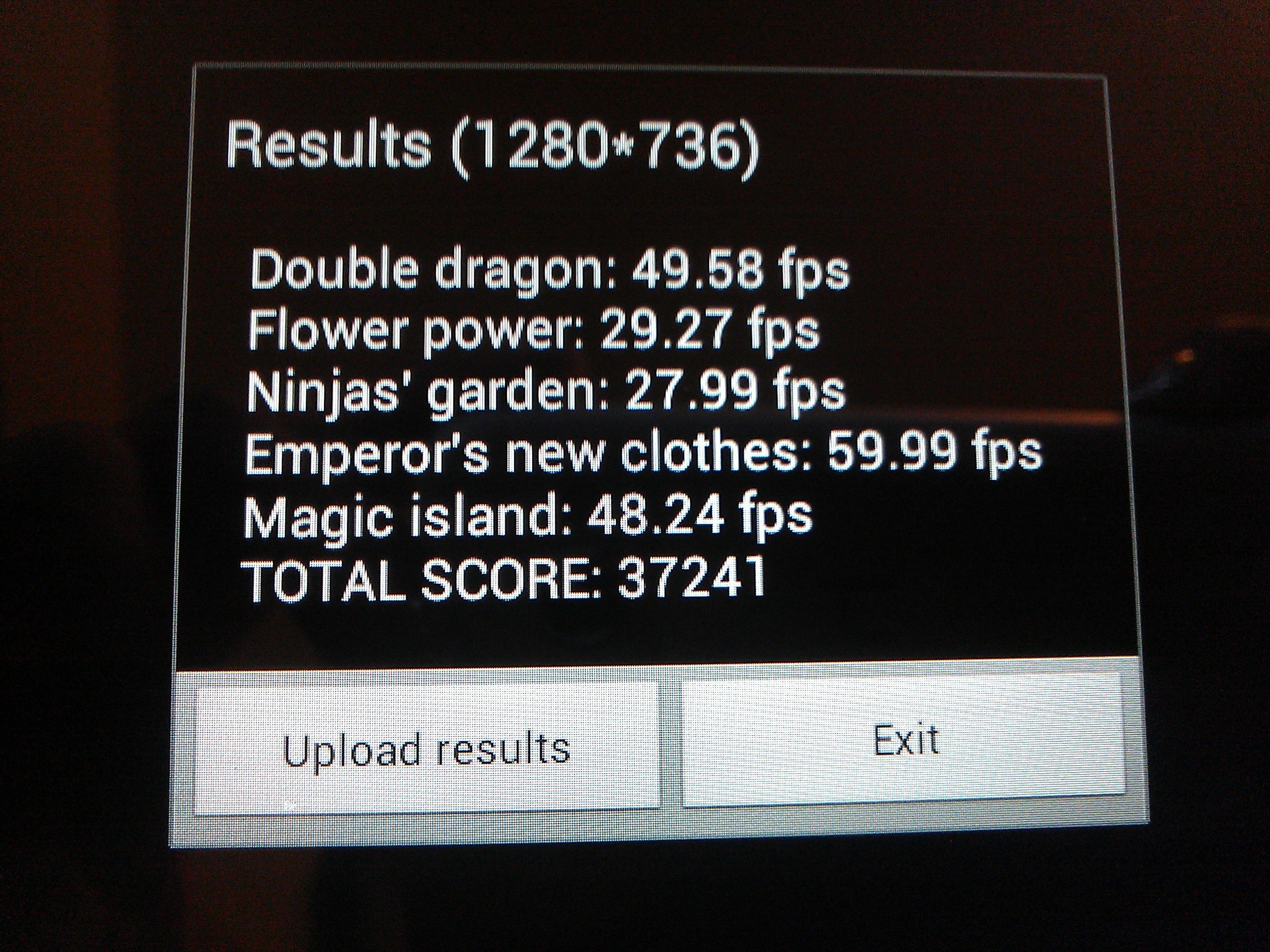
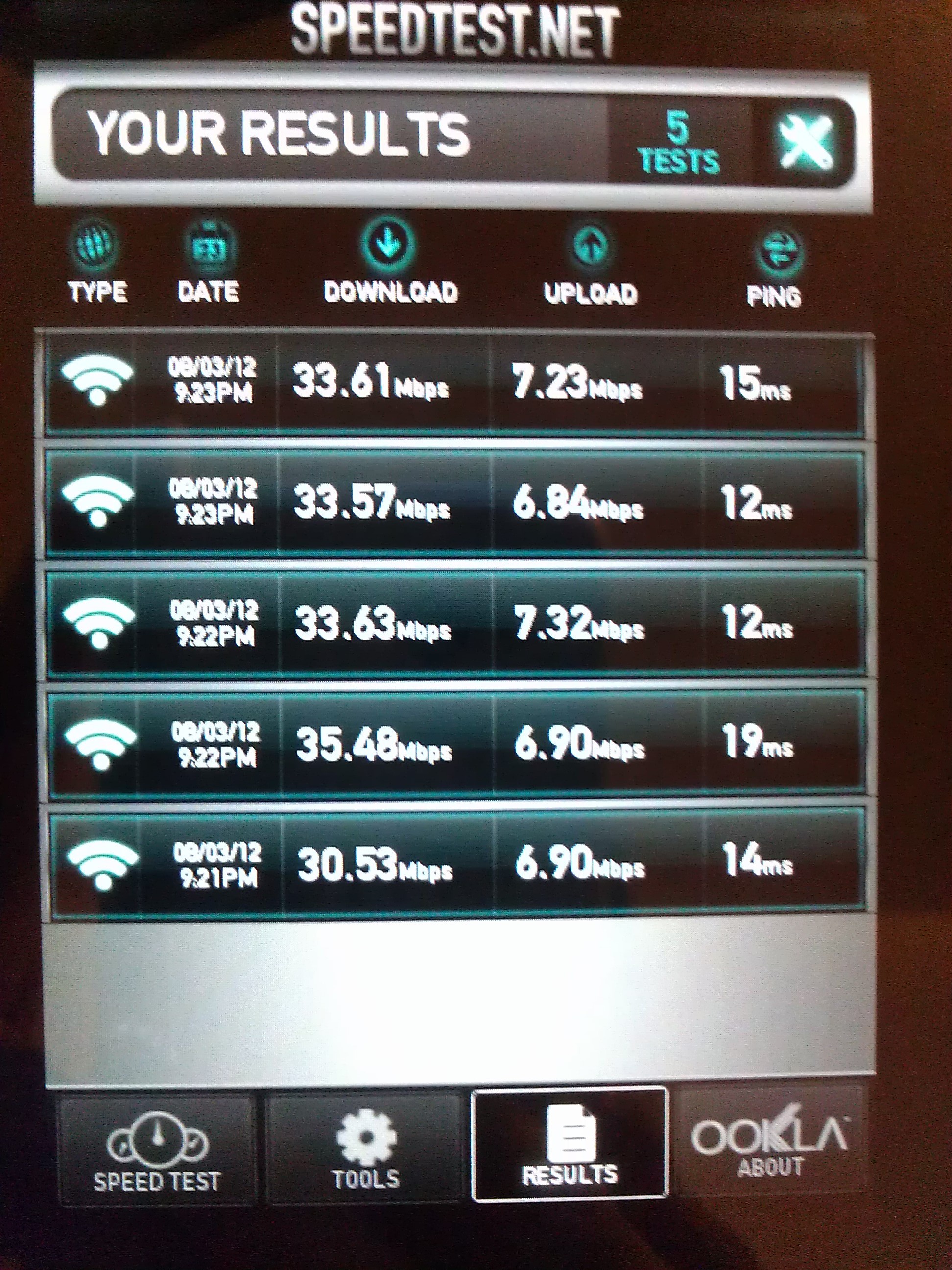
I decided to run a few light benchmarks as well.

Vellamo 1.0.6:

Am3DNenchXL:

Speedtest.net

Final Thoughts

I am quite impressed although I wasn’t sure what to think of it at first. I can live with 720p and the fact that it’s a Nexus device makes it the ideal Android product to have since you’ll always get the updates first and you shouldn’t expect your operating system to be outdated any time soon.

Although it’s equipped with Corning scratch-resistant glass, the makers of Gorilla Glass, I’m careful regardless. You won’t ever see me doing the key test on any device.

The graphics are sharp, vivid and immersive. I haven’t experienced any hiccups or lags so far but I will update in a few months.

I don’t do much gaming on tablets unless you consider The Sims 3 Free Time gaming. I had an LG G2x (Optimus) smartphone (it was the first dual-core smartphone) with NVIDIA Tegra 2. All I can say is that it included aesthetically pleasing hardware with class-leading performance with a minimal amount of battery consumption. The Nexus 7 tablet comes equipped with a 1.2GHz Tegra 3 quad-core processor and 1 GB of RAM.

Overall, I’m content with this purchase. I don’t feel like I overpaid at all and it’ll come in handy when I need entertainment on the run since it only weighs 12 ounces.

The Nexus 7 tablet is snappy, smooth, and a true competitor in the $200 range of top-notch tablets. The prices of tablets will only continue to drop while the quality gets better. It is definitely something you want to buy. It’s light, discreet, weighs less than the Kindle Fire, and isn’t even half of an inch (0.41 in.). If you’ve been eyeing a tablet and particularly Android tablets, go for it.

There is a 15 day return policy and the Google Play customer service is fast and you never have to talk to a machine. The direct line for all Nexus related issues is 855-83-NEXUS (63987). The website is as uncluttered as Jellybean is and Google is working hard to fine tune and tweak every aspect of the current website to bring you a more fluid experience so don’t be surprised if you go to the website and find that it’s changed overnight.

The 16 GB version was made available earlier this week and I really suggest you get it. It’s truly an amazing package.